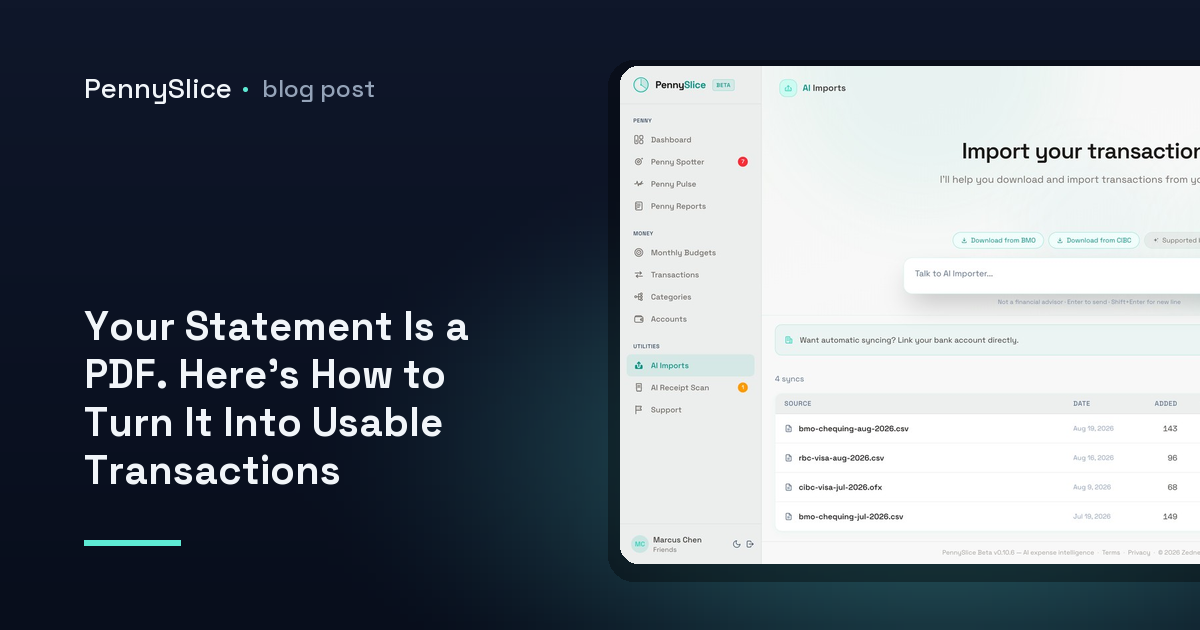
You went looking for a CSV export and found a download button that produces a PDF. Twelve pages, one month, every transaction sitting in a table that looks like a spreadsheet and behaves like a photograph. Some banks give you CSV, OFX and QIF alongside it. Plenty give you the PDF and nothing else, especially for closed accounts, credit cards, and anything older than about eighteen months.
So you have a statement with 214 lines on it and no way to sort, filter or total anything. The usual next step is retyping. At a generous ten seconds per row — read the date, read the merchant, read the amount, tab across, catch the typo — that is a little over half an hour for one account, one month. Do that for three accounts across a year and you have signed up for a weekend.
Why PDF statements resist being turned into rows
A PDF does not contain a table. It contains instructions for drawing characters at coordinates on a page. The column structure you see is a visual coincidence — the amounts line up on the right because each one was placed to line up, not because they belong to a field called amount.
That is why generic converters produce the results they produce. Given a statement where the description column is wide enough to wrap, a converter that reads line by line will split one transaction into two rows: the merchant name on one, the trailing half of the memo on the next, with the amount stranded on whichever line the drawing instructions happened to land. Negative numbers written as (42.18) come through as text. A running balance column gets read as a second amount. Multi-page statements repeat the header row eleven times, and a page break in the middle of a transaction cuts it in half.
The output is a CSV, technically. It is also a file you now have to clean, which means the work did not go away — it changed shape into something less obviously tedious and therefore harder to schedule.
The conventional way to convert a PDF bank statement to CSV
If you want to do this manually, the sequence that works most often is:
- Open the PDF and check whether the text is selectable. Drag-select over a few transactions. If you get highlighted text, the statement has a text layer and can be parsed. If you get nothing, it is a scan or an image, and only OCR will get you anywhere.
- Copy one page at a time, not the whole document. Page-by-page copying keeps header rows and page furniture separable from transaction rows.
- Paste into a spreadsheet as plain text, then split into columns on a delimiter. Statement layouts often use runs of spaces, which means splitting on a single space breaks merchant names apart. Split on two or more spaces where your spreadsheet allows a regular expression.
- Fix the wrapped descriptions. Find every row with no date and no amount and merge it upward into the row above.
- Normalise the amounts. Strip currency symbols and thousands separators, convert parentheses to minus signs, and decide whether debits and credits live in one signed column or two.
- Delete the balance column. A running balance imported as an amount will double-count everything.
- Reconcile the total. Sum your amount column and check it against the statement’s closing figures. If it does not match, something got dropped at a page break — that is where the error nearly always is.
That last step is not optional. It is the only way to know whether your PDF-statement-to-spreadsheet conversion actually captured all 214 lines or only 209.
Check whether your bank has a real export first
Before any of this, spend two minutes looking for a proper export. Banks bury it. It is often not on the account summary page but inside the statement archive, behind a small link labelled Download rather than Statements, or available only after you have set a date range rather than picked a statement month. CSV, OFX and QIF all skip the parsing problem entirely, because they were built to be read by software.
The location differs by bank and changes when a bank redesigns its online banking. If you are in Canada, the step-by-step exports for RBC, TD, Scotiabank, BMO, CIBC and National Bank will save you the hunt. PennySlice keeps 104 of these export guides across 14 countries, heaviest in the US and Canada, then the UK, then eleven more European markets — because the fastest fix for a PDF problem is often discovering you never needed the PDF.
When the PDF is all there is
Sometimes there is no export. The account is closed. The card was cancelled. The statement is from 2021 and the archive only goes back two years. That is the case PDF import exists for.
PennySlice takes the PDF directly. You drop the file in and the AI reads its structure — which block of text is the transaction table, which column is the date, which is the description, which is the amount, which is a balance to be ignored. There is no template to pick, because there is no list of supported statement layouts to pick from. There is no column-mapping screen, because nobody is asked to identify the columns. Wrapped descriptions get reassembled with the transaction they belong to. Repeated page headers get dropped.
The same path handles CSV, Excel, OFX, email forwarding and a photo of a receipt. Import requires no standing access to any account — you are handing over a file, not a connection. If you would rather link an account than manage files, that option exists too, through OAuth: your login is entered at your bank, and what comes back is a read-only token you can revoke from either side. Bank linking is available in the US and Canada, on paid tiers. Import works everywhere.
What you get instead of a spreadsheet
A clean CSV is a means, not an end. What you wanted from those 214 rows was a total by category, and a spreadsheet gives you that only after you have written the formulas and tagged every merchant by hand.
Once a statement is in PennySlice, transactions arrive categorized, and one purchase can be split across several categories rather than forced into one — the reason a single Costco trip is genuinely groceries plus clothing plus household rather than a $180 line item labelled shopping. From there you ask questions in plain English across transactions, accounts, categories, budgets, imports, receipts, predictions and what-if scenarios, and get answers with your own figures in them.
Background detectors run without being asked, too: Penny Spotter watches budget pace, category anomalies, recurring costs that quietly rose, bills that are coming, savings opportunities, income shifts and merchants taking an outsized share of your spending.
That is the difference between converting a statement and using one.
Start with the oldest PDF you have
Pick the statement you have been avoiding — the one from the closed account, or the credit card whose export only goes back a year — and drop it in. The Track tier is free forever, and paid plans include a 30-day trial with no card required. If the file parses, you have your answer about the other eleven months.
PennySlice provides spending information, not financial advice.