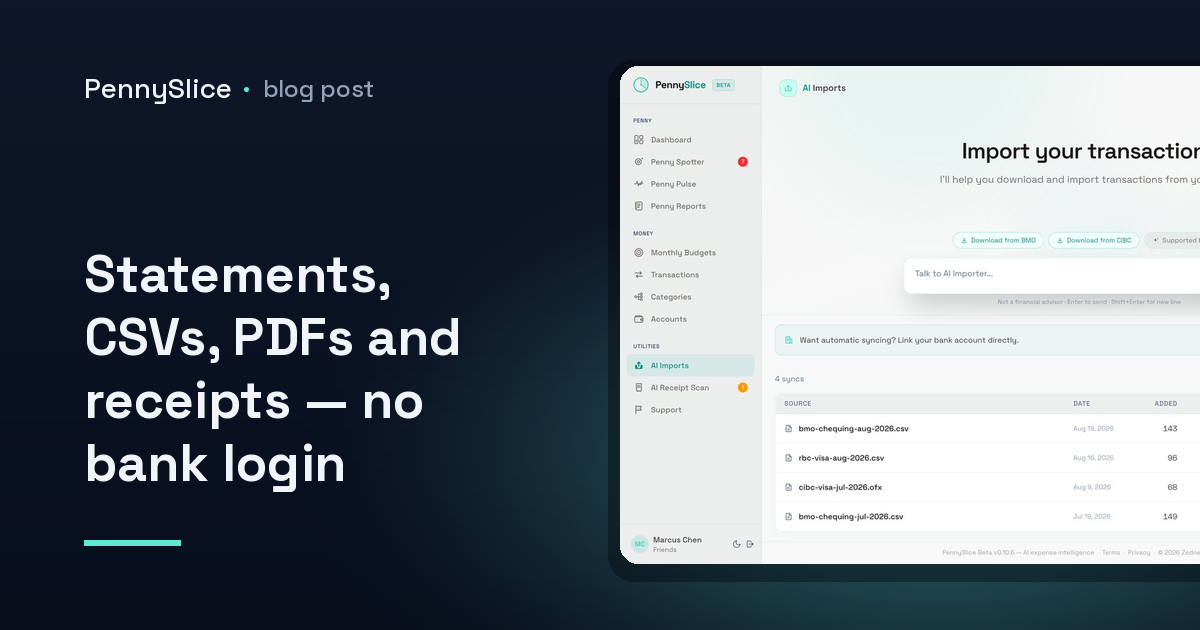
You get to the second screen of a new expense app and it wants your bank login. Not a file. Not a statement. A live, standing connection to the account your salary lands in. For some people that is fine. For plenty of others it is the moment the app gets deleted, and the spreadsheet — three months out of date, two accounts missing — stays.
There is also a much less philosophical version of this problem. If you bank in the UK, the Netherlands, Spain, France, Ireland, Germany, Italy, Denmark, Finland, Switzerland, Sweden or Belgium, PennySlice’s bank linking is not available to you at all. Linking runs through Plaid and covers the US and Canada. For everyone else, importing is not a fallback option buried in settings. It is the product.
What an expense tracker that works without linking your bank actually has to do
The reason import gets treated as second-class in most tools is that it is usually miserable. You export a CSV, you pick a template that does not match, you map columns by hand — date to date, description to merchant, and then the debit/credit column that arrives as two columns in one bank and one signed column in another. Four screens of setup before a single number appears.
PennySlice does not have that step. You drop the file in and the AI reads its structure. No template to pick, no column mapping, no “which of these is the amount” dialog. Whatever your bank decided to call its columns is your bank’s problem, not yours.
The formats are broader than most people expect:
- CSV — the standard export from nearly every online banking portal
- Excel — because some banks only offer XLSX, and some households already keep one
- OFX — the older, structured banking format that some institutions still default to
- PDF — an actual statement, the kind you download rather than export
- Email forwarding — send a receipt or a statement to your import address
- Photo — snap a paper receipt and get itemized lines back
That PDF entry matters more than it looks. A lot of banks, particularly outside North America, will happily hand you a statement PDF and nothing machine-readable. That has historically meant retyping. It does not have to.
Nothing is watching your account in between
This is the part people are usually asking about when they say they do not want to link. An import creates no standing access to anything. There is no token sitting somewhere with permission to read your balance tomorrow. You gave the app a file; the app read the file.
If you do decide to link a bank later — it is available on paid tiers, in the US and Canada — the mechanism is worth knowing. The login is entered at your bank, through OAuth, not at PennySlice. What comes back is a read-only token for transactions and balances that you can revoke from either side at any time. We never store your bank password. And your data is never sold, to advertisers or anyone else.
One thing to be straight about, because privacy claims in this category tend to be written loosely: to answer questions about your spending, financial data — merchant names, amounts, categories — is processed by a third-party AI provider. It is processed and discarded, not retained for training, and personal identifiers like your name, email and account numbers are not sent. That is the mechanism. Anyone promising you more than that is describing a different architecture.
You can also mix the two. Link a checking account, import a credit card that is not supported, forward the odd receipt. The data ends up in the same place either way.
Getting the file out of your bank
The genuine friction in an import-first workflow is not the import. It is finding the export button, which every bank hides somewhere slightly different and renames every second redesign.
There are 104 bank export guides in PennySlice covering 14 countries — 38 in the US, 28 in Canada, 15 in the UK, and the rest spread across eleven European markets. Each one is the specific sequence of clicks for that bank, including which date range picker resets itself and which format the download menu actually offers. If you bank in Canada, for instance, the walkthrough for RBC, TD, Scotiabank, BMO, CIBC and National Bank covers the five-minute version.
Worth being precise here, because the two footprints are not the same: export guides span 14 countries. Bank linking works in two. If you are in Berlin, the guide exists and the import works; the linking does not.
What happens after the file is in
Uploading is the boring half. The point of getting the data in is being able to ask it things in plain English and get a figure back rather than a maxim.
Across eight areas — transactions, accounts, categories, budgets, imports, receipts, predictions and what-if scenarios — you ask a question and the answer is grounded in your own data. “What did I spend on takeaway in March?” “Which subscription went up this year?” “Can I afford a laptop next month?” The last one is Pulse Check, and it runs against your real balances and history. There is more detail on the eight areas the AI can answer questions about if you want the full map.
Imported data gets the same treatment as linked data on everything else, too. Sub-transaction categorization splits one purchase across several categories, so a single Costco line item stops pretending to be groceries when a third of it was clothing — the mechanics of splitting a receipt at the line level are the same whether the receipt arrived as a photo or the transaction arrived in a CSV.
Penny Spotter’s seven background detectors run either way: budget pace, category anomalies, recurring cost creep, predicted expenses, savings opportunities, income changes and merchant concentration. Penny Reports still writes the monthly summary. Household sharing still puts several people’s accounts in one view, which is often the actual reason a household gave up on the spreadsheet.
The honest tradeoff
Importing is not identical to linking, and pretending otherwise would be silly. Linked accounts refresh themselves; imported ones refresh when you upload. If you want your numbers current on a Tuesday afternoon without thinking about it, linking does that and import does not.
What import gives you in exchange: no standing connection, no coverage restriction, and no format you have to convert first. For a lot of people that is the better trade, and for anyone outside the US and Canada it is not a trade at all — it is the only path, and it is a complete one.
Export last month’s statement from your bank, drop the file in, and ask it one question you have been guessing the answer to.
PennySlice provides spending information, not financial advice.