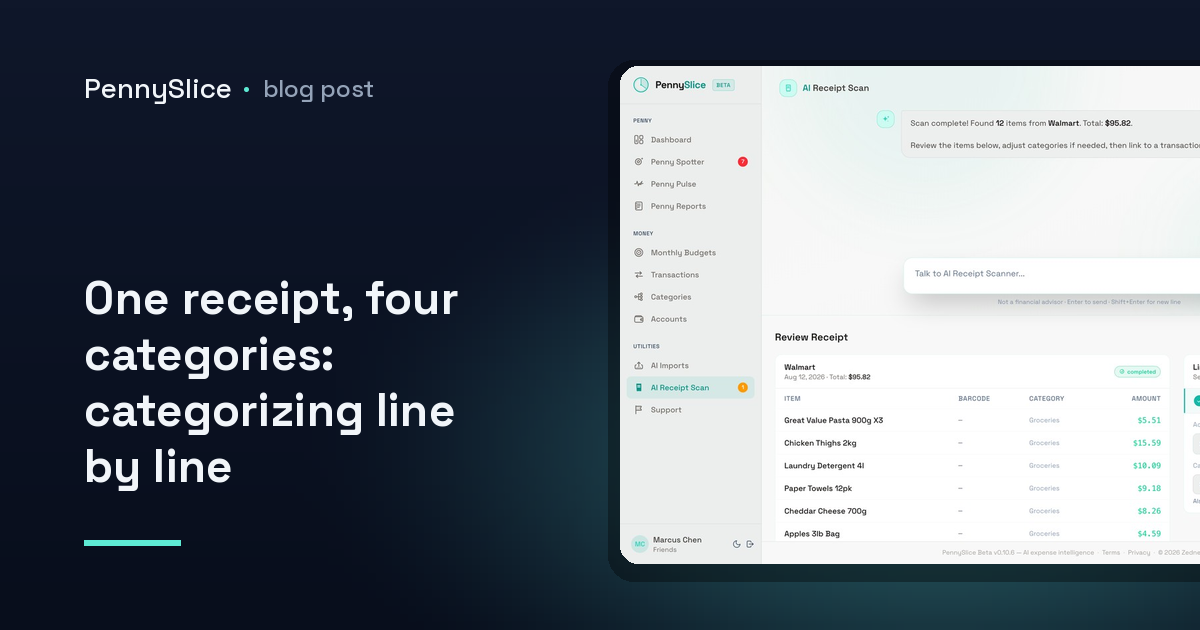
You spent $214.37 at a warehouse store on Saturday. The card statement shows one merchant, one amount, one date. Your expense tracker files it under Groceries, because that is the closest single label available.
But the cart held $86 of food, a $54 winter coat, $38 of paper towels and detergent, a $24 tire rotation, and $12 of over-the-counter medicine. Exactly none of that is a grocery problem. And when you look at your grocery spending three months later and it says $1,340, you will believe a number that is off by hundreds of dollars in a direction you cannot see.
This is the quietest failure mode in personal expense tracking. It does not look like an error. It looks like data.
Why whole-receipt categories go wrong
A category is only useful if it answers a question. “Am I spending more on food than I think?” is a real question. It stops being answerable the moment your food category is also absorbing clothing, car maintenance and cleaning supplies.
The distortion runs in both directions at once. Groceries look inflated, so you conclude food is your problem area. Household and clothing look artificially low, so they never surface as anything at all. If you set a grocery budget against that inflated baseline, the budget is built on a number that was never about groceries.
It also gets worse the more you consolidate your shopping. Warehouse stores, big-box retailers, pharmacies that sell milk, hardware stores with a snack aisle, online marketplaces that ship four unrelated things in one charge — the merchant tells you almost nothing about what the money bought. A $60 charge at a pharmacy could be a prescription, a birthday gift, or three weeks of shampoo. The merchant name is the label, and the label is wrong.
Most people handle this one of two ways. They pick the dominant category and accept the noise, or they manually split transactions and stop doing it after about two weeks because the process is tedious and nothing bad happens when you skip a day. Neither produces data you would want to make a decision on.
How to categorize a receipt line by line
The fix is not more discipline. It is getting the line items into the system at all.
Your bank does not have them. A bank feed carries merchant, amount, date and sometimes a payment channel. It never carries the contents of the basket, because the bank was never told what was in the basket — it was told the total. That limit applies whether you link an account or import a statement file yourself, and it is the reason a linked bank feed alone will never fix this particular problem.
The only place the itemization exists is the receipt. So the sequence looks like this:
- Capture the receipt itself, not the statement line. Photograph it at the till or when you unpack the bags. A paper receipt that goes into a coat pocket is data you have already lost.
- Read the lines, not the total. Each row on the receipt is its own small expense with its own amount, and it needs its own category.
- Assign categories per line. Coat to clothing. Detergent to household. Tire rotation to auto. Food to groceries.
- Reconcile against the total. The line items plus tax should add back up to the charge on your account, or something got missed.
- Keep the split attached to the original purchase. You want one transaction with four category components, not four invented transactions that no longer match your statement.
That last step is the one people get wrong when they do this by hand in a spreadsheet. Splitting a purchase into four separate rows breaks reconciliation — your ledger no longer lines up with your account, and now you have two problems.
What receipt OCR and sub-transaction categorization actually do
In PennySlice, this runs as two connected pieces.
Receipt OCR handles capture. You take a photo of a receipt and the itemized lines are read out of it, then categorized individually rather than dumped under the merchant. The $54 coat lands in clothing on its own. You are not typing rows into a form.
Sub-transaction categorization handles the structure. One purchase can carry several categories at once, at the line-item level, while staying a single transaction tied to the single charge on your account. The warehouse run becomes groceries plus household plus clothing plus auto — and your grocery total stops carrying $128 that was never food.
Corrections you make feed back in. If a line gets categorized in a way that does not match how you think about it, fixing it improves categorization across the platform, so the accuracy compounds with use rather than staying wherever it started.
And because the categories are now honest, the background detectors have something real to work with. Penny Spotter runs seven detectors without being asked — including budget pace, which flags a category tracking toward blowing its budget before the month ends, and category anomalies, which flag spending that breaks your own established pattern. A budget-pace alert on groceries is only worth reading if groceries means groceries. Feed it a category that absorbs coats and tire rotations and every alert is a coin flip.
Receipts are not the only path in
Photos are the right tool for itemization, but they are one of several ways to get data in. You can also import CSV, Excel, OFX or PDF files, or forward receipts by email. The AI reads the file and works out its structure — there is no template to choose and no column-mapping step to fight through.
If you would rather start from your account history and add receipts on top, statement exports are the usual starting point, and the process differs by institution — our walkthrough for exporting transactions from Canadian banks covers the main ones step by step. Bank linking through Plaid is also available on paid tiers in the US and Canada, where your login is entered at your bank rather than at PennySlice. Whichever route you use, the receipt is still the only source of line items.
This matters most in a household, where the mixed-basket problem multiplies. Two adults, five to eight accounts, and a weekend where both of them did a run that was half food and half everything else. Household sharing puts those accounts and budgets in one view, and line-item splitting is what stops that shared view from being a pile of transactions labelled with store names.
Start with one receipt
Pick the messiest receipt in your wallet right now — the one with the widest spread of unrelated items — photograph it, and look at what the split says your categories actually were. Then compare that to what a single label would have claimed. The gap is the size of the error you have been budgeting against.
PennySlice provides spending information, not financial advice.