Your bank statement says COSTCO WHOLESALE #1042, $341.86. Your expense app files it under Groceries. It is now the biggest grocery charge of the month, and it is wrong.
In that $341.86 there were rotisserie chickens and a case of olive oil, yes. There were also two pairs of kids’ jeans, a 30-pack of paper towels, printer ink, a tire rotation and a bag of dog food. Maybe $180 of it was actually food. The rest was clothing, household supplies, office, vehicle and pet — five categories that will now show $0 for the month, while Groceries carries their weight silently.
Do that four times a month and the distortion is not a rounding error. It is the reason your grocery number looks unmanageable and every other category looks suspiciously well behaved.
Why the bank feed can never fix this on its own
A bank transaction has three useful fields: date, merchant, amount. That is the whole payload. Whether the money came in through a linked account or a CSV you exported yourself, the bank does not know what was in the cart — the merchant’s payment terminal sent a total, not a manifest.
So every tool that categorizes from the bank feed alone is doing the only thing it can do: assign one merchant to one category and move on. Costco becomes Groceries. Target becomes Household. Amazon becomes whatever you told it Amazon is, which for most people is a shrug in category form.
This is fine for a coffee shop. It falls apart precisely at the merchants where you spend the most, because big box stores are cross-category by design. The whole retail model is that you came for milk and left with a lawn chair.
The line item is where the truth lives
The receipt has what the bank feed does not. Every line is a product, a quantity and a price, and the sum of the lines is the transaction. If you can read the lines, you can reconstruct exactly what that $341.86 was.
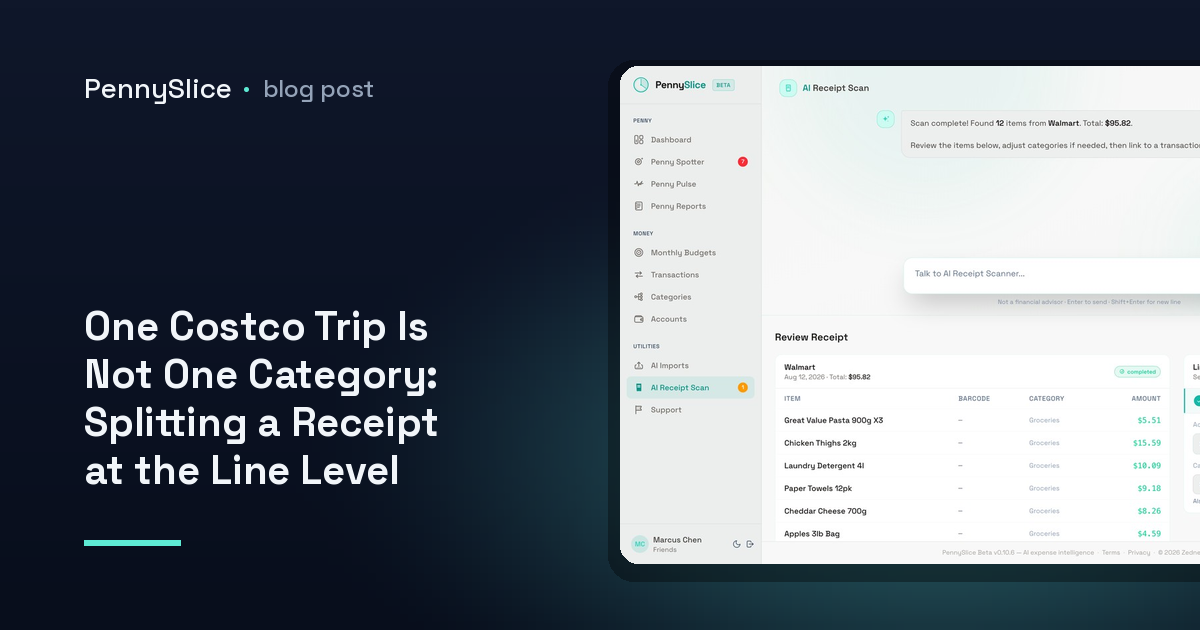
PennySlice does this with receipt OCR: photograph the receipt, and each line is read and categorized individually rather than the total being categorized as a block. One purchase becomes multiple categories, with the amounts adding back up to what actually hit the account.
The practical output is that the $341.86 stops being a mystery and becomes a breakdown — groceries, clothing, household, and the rest, each landing in the category it belongs to. Nothing has been estimated or apportioned by percentage. The numbers come from the receipt.
How to split a Costco receipt between categories
The mechanics are short, which is the point.
- Keep the receipt. This is the only step that requires a habit. The warehouse receipt is long and your instinct is to bin it at the door. Photograph it in the parking lot instead.
- Photograph the whole thing. Flatten it, get the full column of line items in frame. Receipt OCR reads the itemized lines, so a shot that clips the bottom third clips the bottom third of your data.
- Let the lines categorize. Each item is assigned on its own. Food goes to groceries, the jeans go to clothing, the paper towels go to household. You are not picking a template or mapping columns.
- Correct what it got wrong. It will not be perfect on every obscure product code. Fix the ones that matter. Corrections feed back into the shared model, so the same product is more likely to be right next time — for you and for everyone else using PennySlice.
- Check the split matches the charge. The lines should reconcile to the transaction on your statement. If they do, that one purchase is now correctly spread across multiple categories instead of inflating one.
The same applies to any big box store purchase. Costco is the sharpest example because the basket sizes are large and the category spread is wide, but a $90 Target run has the same problem in miniature, and it happens more often.
What changes downstream
Splitting is not tidiness for its own sake. It is what makes every number built on top of the data mean something.
Budgets stop lying. If your grocery budget is $600 and it is silently absorbing clothing and motor oil, you will blow it every month and conclude you are bad at food shopping. Split the lines and you may find groceries were $420 and the overspend was somewhere else entirely.
Anomaly detection gets a real baseline. Penny Spotter watches for category spending that breaks your own pattern. A category that is actually five categories in a trench coat has no stable pattern to break — the signal drowns in the mixing. Clean categories give the detectors something to detect.
Household spending becomes attributable. When two people shop at the same warehouse and one trip is kids’ clothes and the other is a month of food, a single Groceries line for both tells the household nothing. With shared accounts and budgets in one view, the split is what makes the shared view worth looking at.
Recurring cost creep is visible. The seven Spotter detectors include one for recurring costs that quietly rose. If the food portion of your warehouse runs has climbed 18% over six months, that is only visible once the food portion exists as a number.
When you do not have the receipt
You will not always have it. For past months the receipts are gone, and OCR cannot recover what you did not keep.
What you can do is work from the transaction history you already have. Pull your statements in as CSV, Excel, OFX or PDF — the file is read and its structure detected, with no template to pick and no column mapping — and then ask about the merchant directly. “How much did I spend at Costco in the last six months, and how does it compare to the six before?” gives you a figure to work with even without line detail. If you need to get those statements out of your bank first, the export guides for Canadian banks cover the click path for RBC, TD, Scotiabank, BMO, CIBC and National Bank.
From there the sensible move is not to backfill a year of splits by hand. It is to start splitting the trips from today forward, so that three months from now you have a real grocery number instead of a merchant total wearing a category label.
Ask what your groceries actually cost
The question worth asking is not “how much did I spend at Costco” — you know that, it is on your statement. It is “how much of that was food”. Photograph your next warehouse receipt and let the lines answer it.
PennySlice provides spending information, not financial advice.